macOS
Monterey 12.0 or later
Or install from Terminal
$curl -fsSL …/install.sh | bashThe one-line installer picks the right build for your Mac and clears the quarantine flag for you — which is exactly why it's the route we recommend.
Lazify is a desktop app that gives each project one window: its agents, its dev scripts, a browser, and the code. You watch the work happen instead of hunting for the right terminal.
For Apple Silicon and Intel Macs. Windows is on the way.
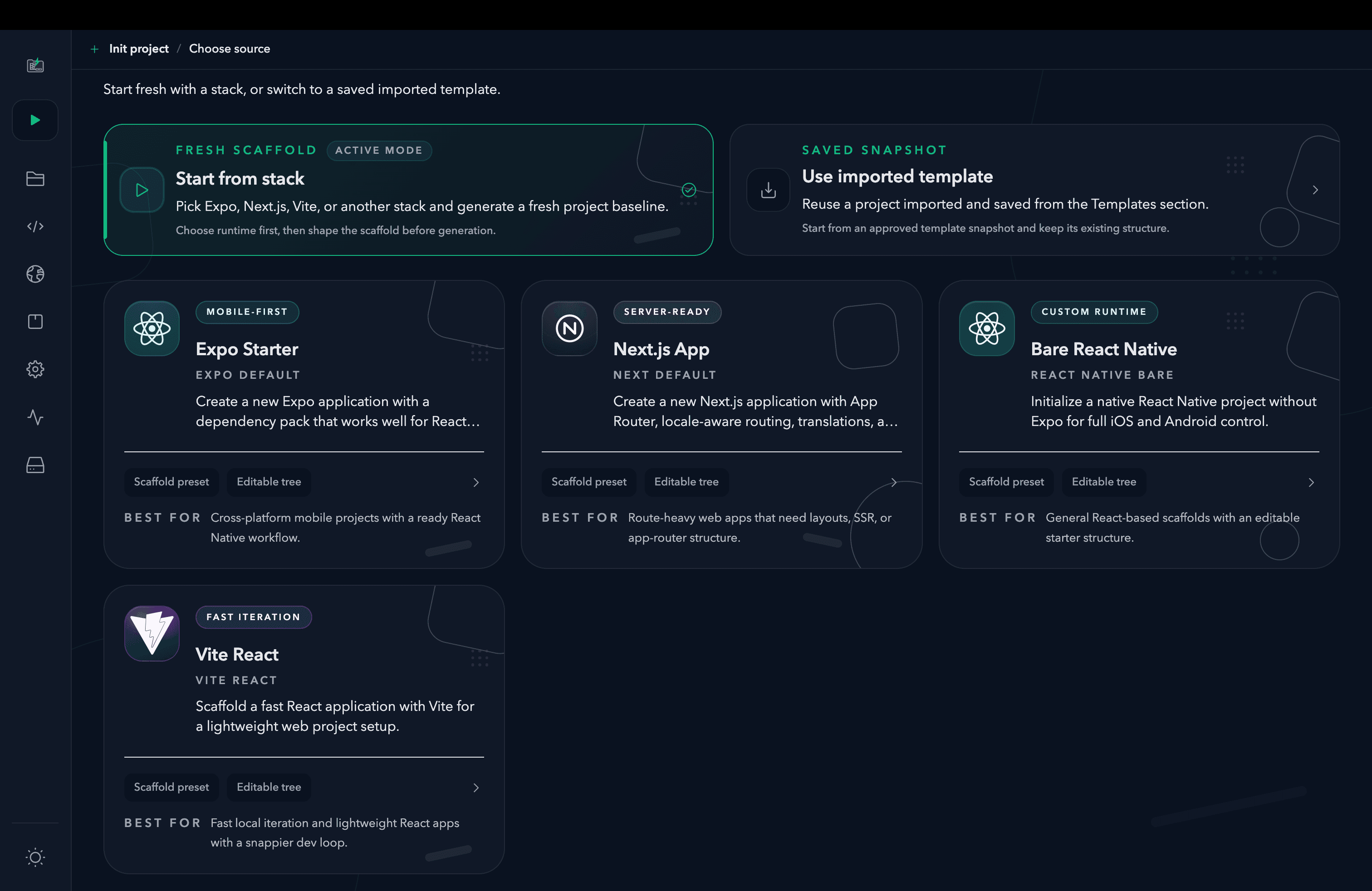
Start from a maintained stack or bring in a saved project template, then shape the scaffold before generation.
Fixing a bug usually means a terminal for the server, another for the agent, and an editor somewhere in between. Here's the same job in Lazify.
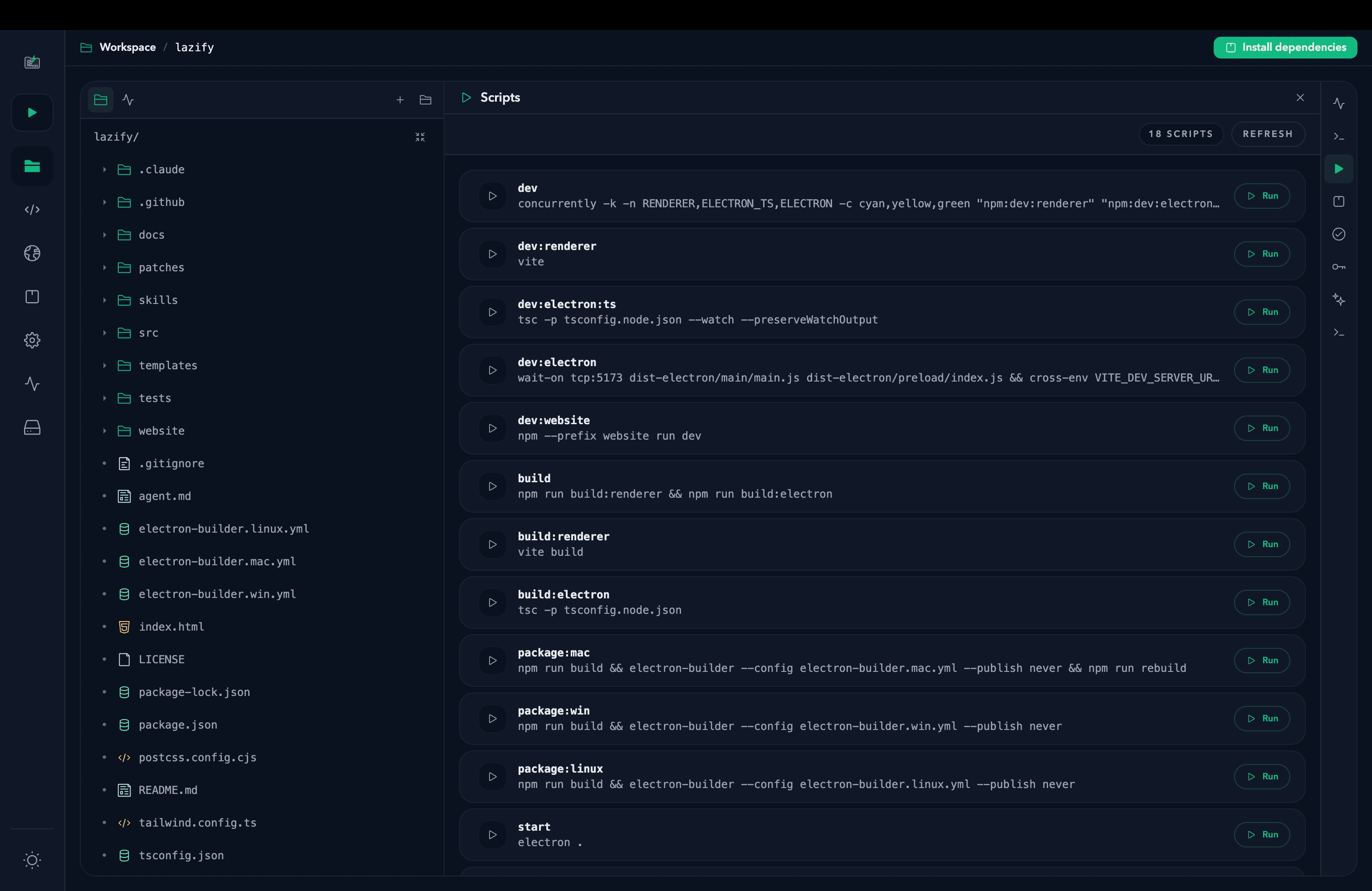
Every script in package.json gets a Run button. The output stays attached to the project, not a stray terminal tab.
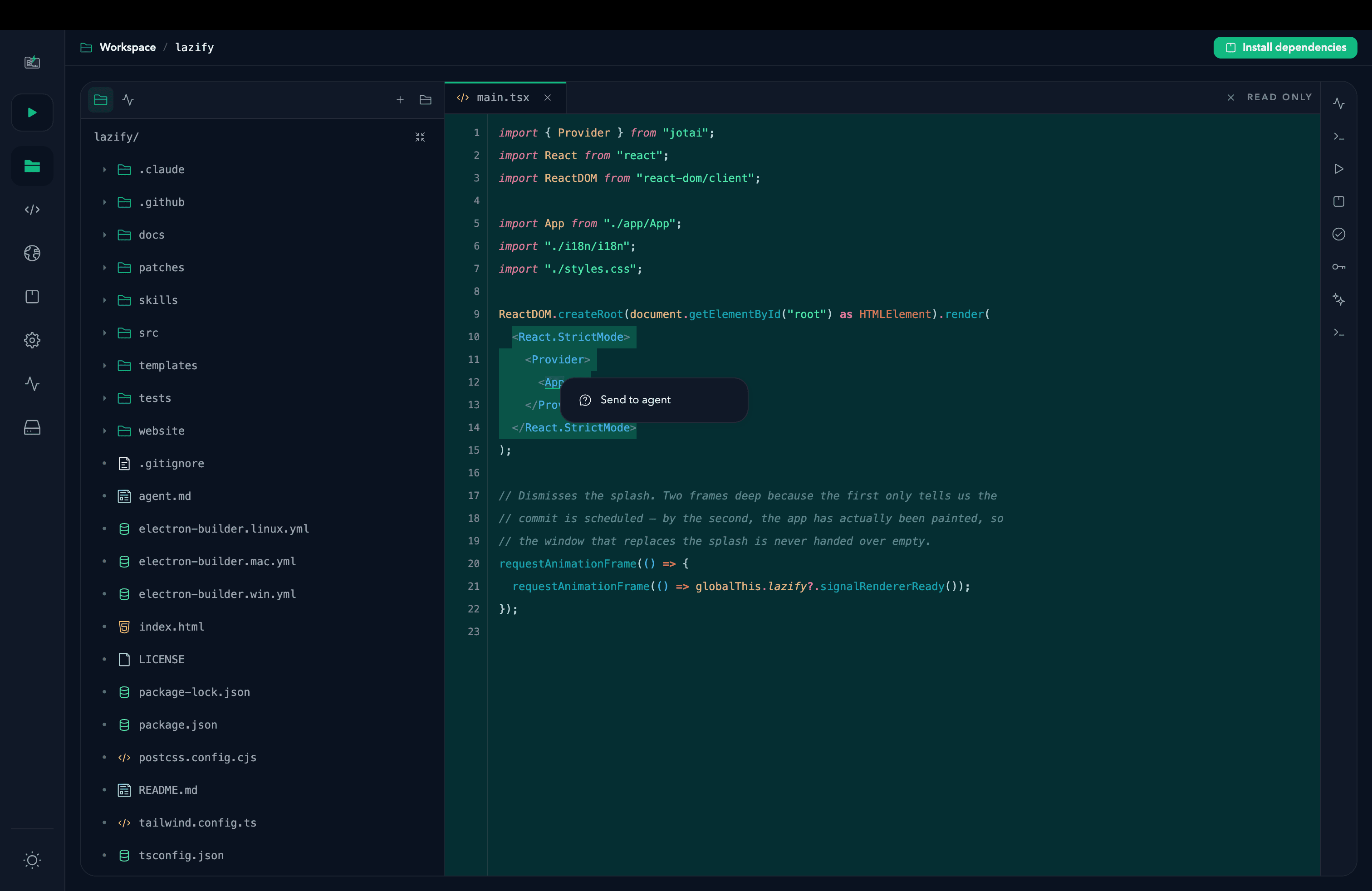
Select the lines that matter and send them to Claude or Codex. The agent is already running in that project's folder.
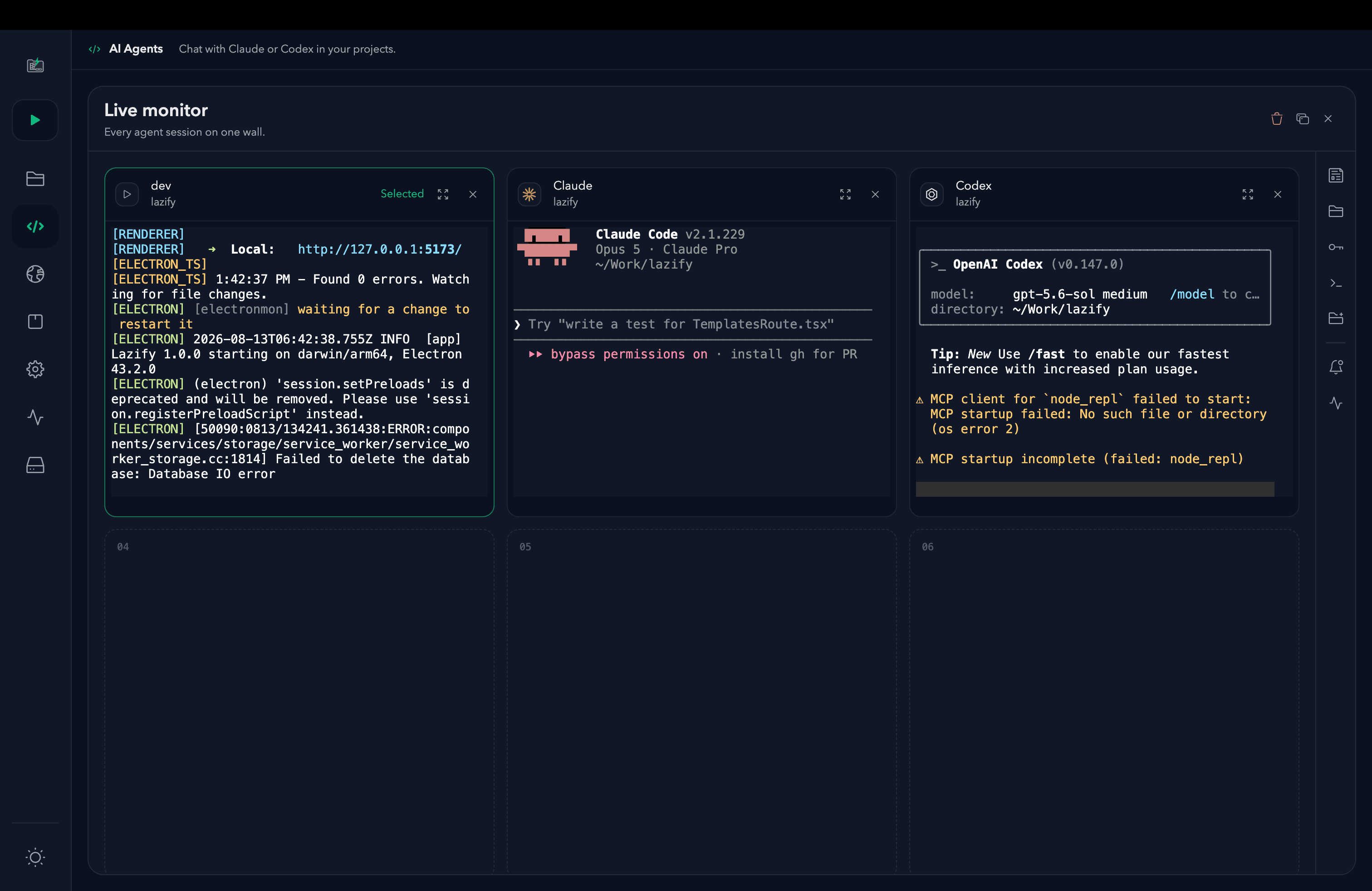
The live monitor puts the dev server and every agent session side by side, so you see the fix land while it's being made.
Both builds ship from the same public releases repo.
Monterey 12.0 or later
Or install from Terminal
$curl -fsSL …/install.sh | bashThe one-line installer picks the right build for your Mac and clears the quarantine flag for you — which is exactly why it's the route we recommend.
Windows 10 or later
What you get
The Windows installer is built on Windows for its native terminal module, so it follows shortly behind the macOS release.
“Lazify” is damaged and can't be opened. You should move it to the Trash.
Your download is fine. Lazify is signed ad-hoc rather than with a paid Apple Developer ID certificate, and macOS reports that as damage for anything arriving through a browser. Clear the flag once:
$xattr -dr com.apple.quarantine …Windows protected your PC — Microsoft Defender SmartScreen prevented an unrecognised app from starting.
Your download is fine. Lazify isn't yet signed with a paid code-signing certificate, so Windows has no publisher identity to vouch for. This is the same trust gap the macOS build has — just Windows' version of the warning.
Looking for an older version? See all releases on GitHub.
Lazify is built by one developer and is free to download. If it saves you time, you can send a coffee with KHQR.